Git Flow Instructions
This document outlines a feature-based Git workflow using the following branch strategy:
master: Always working code that is reviewed, tested and released
develop: Integration branch for all completed features
feature: Short-lived branches for deving specific features
Branch Overview
master: Contains stable releases. Code in this brach should work as described.
develop: The main integration branch where all feature branches are merged after review and testing.
<feature_name>: Branches created off dev to implement new features or improvements.
Visual Git Tree
A simplified ASCII diagram to illustrate the flow:
o---o---o---o---o               (master)
          \
           o---o---o---o        (dev)
              \     \
               \     o---o      (cool_newer_feature)
                \
                 o---o          (cool_new_feature)
Workflow
Creating a Feature Branch
Make sure your local dev branch is up to date:
git checkout dev
git pull origin dev
Create a new feature branch:
git checkout -b <feature_name>
Work on your feature. Commit regularly:
git add .
git commit -m "Short description of changes made."
Rebasing onto dev (optional but recommended)
Note
More info on the this topic can here.
To keep your feature branch up to date with dev.
Checkout and rebase with the dev branch:
git checkout <feature_name>
git fetch origin
git rebase origin/dev
Merging Feature into dev
Once your feature is complete and tested:
Push the feature branch to the remote:
git pushNote
if the branch does not yet exist on the remote use the –set-upstream or -u flag:
git push -u origin <feature_name>
Go to github.com and navigate to the remote tho which you pushed the feature branch
Select the dev branch and click on Compare & pull request
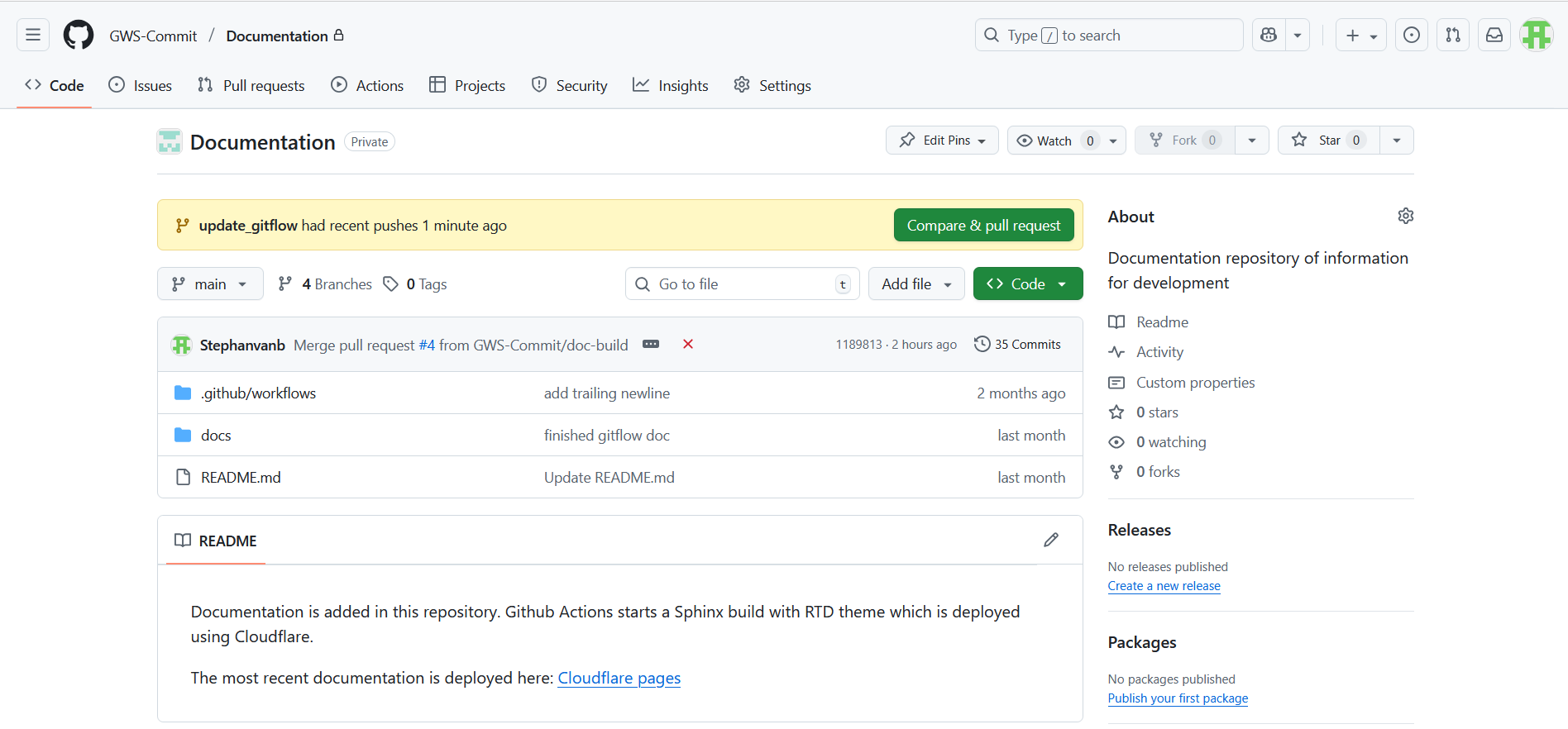
Review and finalize PR, when done click on Create pull request
Note
Pull Request details are T.B.D.
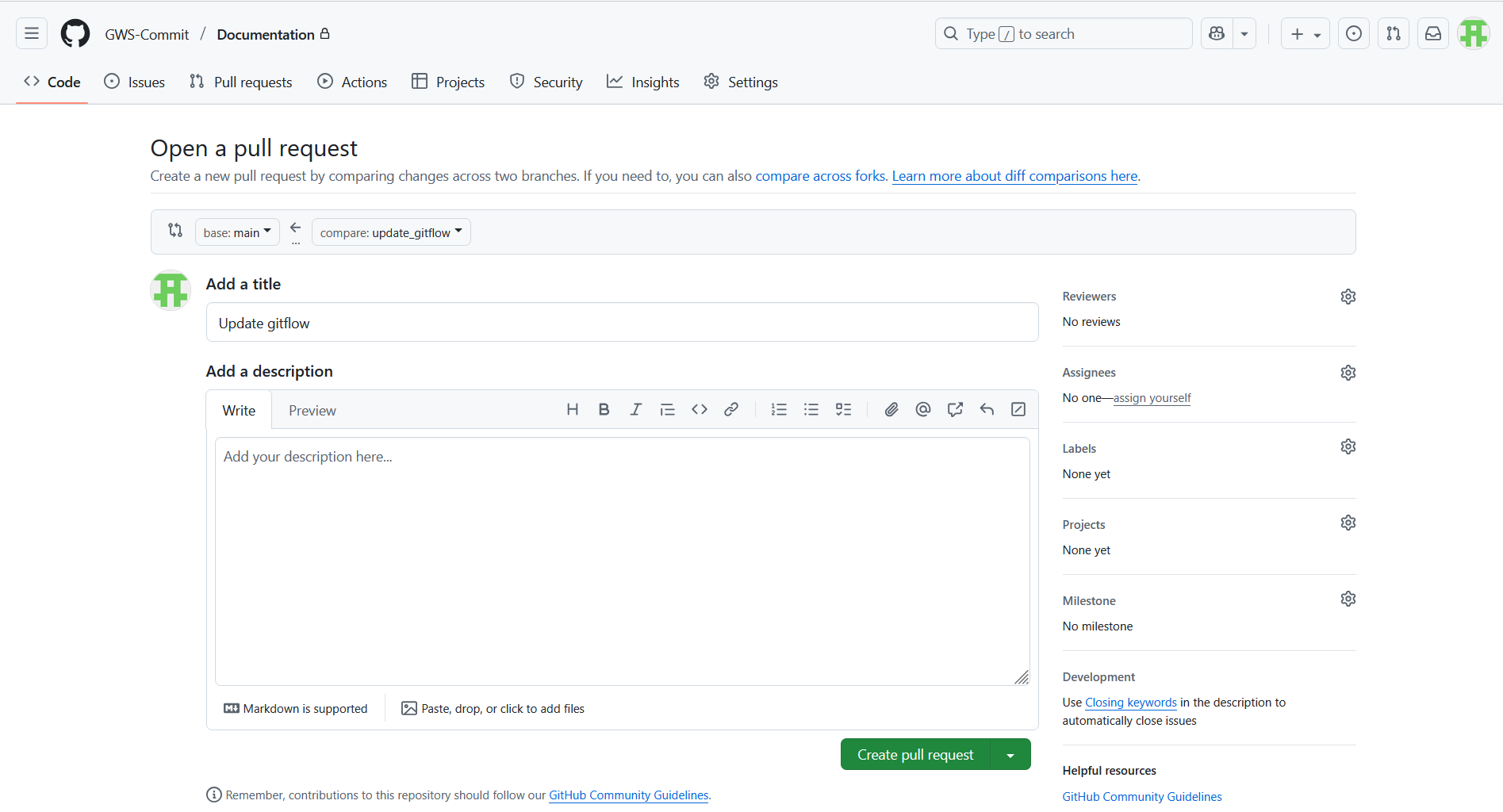
(Optional) Delete the local and remote feature branch:
git branch -d <feature_name>
git push origin --delete <feature_name>
Releasing to Master
T.B.D.
Notes
Always keep your dev and master branches clean.
Feature branches should only live as long as the feature is under development.
Use descriptive names for feature branches, e.g. vision_data_pipeline.